Summon a Pet Army Update Notes & New Zones
Track patches from PetArmyStudios — especially New Zones unlocks and pet ladder changes.
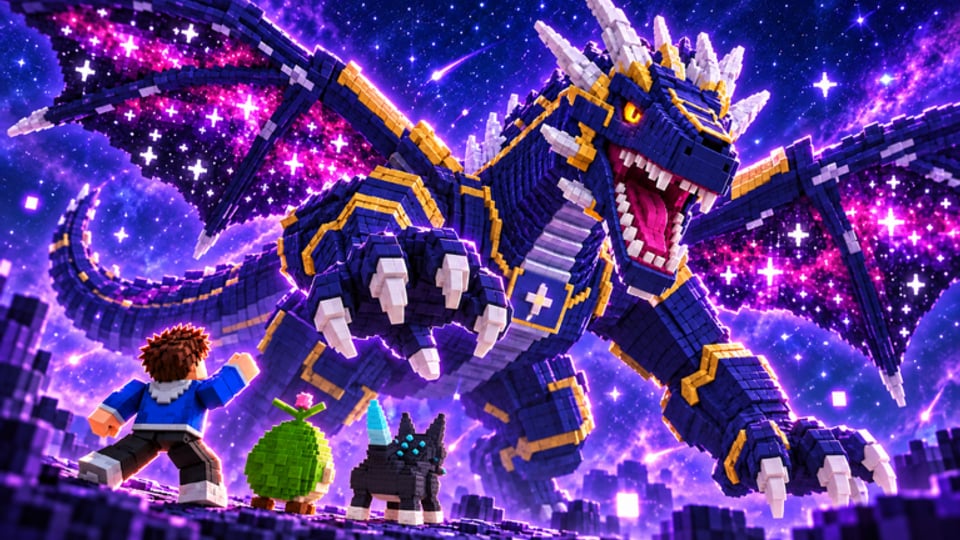
How to use this Updates Hub
Summon a Pet Army ships incremental content: new wild-pet biomes, boss gates, rarity tweaks, fuse table edits, and occasional promo moments. This hub summarizes what matters for progression after each drop so you can rebuild armies without reading every chat rumor.
Live experience facts we keep aligned across the wiki:
- Released: 20 October 2026
- Studio: PetArmyStudios / Zalcore · Group: Summon a Pet Army
- Genre: Simulation / Incremental Simulator
- Servers: up to 7 players
- Platforms: Desktop, Console, Mobile, Tablet
- UniverseId: 10772133952
When something on this page disagrees with an older guide paragraph, trust the newest patch section and then re-check Zones, the Tier List, and Fuse.
Latest focus — New Zones mindset
“New Zones” style updates are the spine of long-term play. Expect some mix of:
- Fresh wild pet spawns with their own rarity mix
- A new boss (or tougher gate) that blocks the biome
- Adjusted income curves so home placements in the new zone matter
- Possible Divine / Mythic targets unique to the area
- UI or drum balance passes that change burst windows
What you should do after a New Zones drop
- Rejoin a fresh server so spawns and UI load on the new build.
- Skim for codes on the Codes Hub — milestones often land with patches.
- Do not delete your old army. Clear the new boss gate with your current Mythic/Divine core first (Bosses).
- Sample new wild pets with short punch sessions; summon anything Large+ immediately.
- Compare new Epics/Legendaries against your home printers before mass selling.
- Pause Auto Fuse / Auto Sell until you know which new pets are fodder (Scripts).
- Update your mental tier list — biome specialists can outrank older Legendaries locally.
Release baseline (20 Oct 2026)
Launch delivered the fantasy loop players still run today:
- Punch wild pets in the starter space
- Summon defeated pets into a personal army
- Place pets at home for money
- Beat the drum to boost army power
- Defeat bosses to unlock additional zones
- Climb rarities toward Mythic and Divine with size variance
- Experiment with fuse and mutation paths
If you joined after launch week, treat the Getting Started guide as your patch-agnostic onboarding, then layer New Zones habits on top.
Patch reading checklist
When PetArmyStudios posts notes (group shout, experience description, or in-game banner), translate buzzwords into actions:
| Note says | You should |
|---|---|
| New zone / area | Follow unlock order; bring boss comps (Zones) |
| New pets | Punch — summon — evaluate size before selling |
| Economy / coins tweak | Rebuild home grid; redeem boosts if codes exist |
| Combat / drum change | Re-time boss bursts |
| Fuse / mutation change | Read recipes twice before crafting |
| Bug fix (summon, save) | Rejoin; verify army and home pets still present |
| Likes / milestone rewards | Check Codes the same day |
Balancing your army after patches
Patches rarely delete progression, but they change efficiency:
- A nerfed drum means you need higher rarity breakers, not more spam Commons.
- A new income pet can make yesterday’s home grid obsolete — rotate Large newcomers in.
- If Divine odds shift, protect existing Divines even harder while you learn the new rate.
Use Players / army setups to rebuild roles (breaker vs printer) instead of copying a pre-patch screenshot.
Script and QoL breakage
Automation breaks often after New Zones because spawners, remotes, and fuse tables move. If SoftKillz-style Auto Farm stops:
- Disable all toggles.
- Progress manually for a day.
- Wait for loader updates — avoid random “fixed” files.
- Re-enable only Auto Farm first, then Summon, then Sell/Fuse with whitelists.
Details and risk notes: Scripts Hub.
Community signal vs official signal
Thousands of concurrent players invent strategies fast. Prioritize:
- In-game behavior you can reproduce
- Official group / developer posts
- This wiki after we verify
- Random chat macros last
Unrelated codes from Pet Army! (other studio) will never be listed here as working for Summon a Pet Army.
Roadmap of wiki follow-ups after each update
- Refresh this Updates Hub summary
- Adjust zone order blurbs
- Move pets between tiers if data warrants
- Add FAQ answers for sticky bugs
- Note whether any promo codes launched
Staying caught up in five minutes
- Open this page.
- Read the newest section only.
- Click through Zones if a biome was added.
- Peek at Tier List if new Divines / Mythics appeared.
- Farm with intent — punch, summon, drum, boss, place.
The meta moves whenever New Zones land; your loop does not. Master the loop, then let each patch slot new pets into roles you already understand.
Frequently Asked Questions
Quick answers to the most common questions.
When did Summon a Pet Army release?
The experience released on 20 October 2026 as a Roblox incremental pet simulator from PetArmyStudios / Zalcore.
What should I do after a New Zones update?
Rejoin, check codes, clear the new boss with your current core, then evaluate new wild pets before selling or fusing anything rare.
Do updates reset my army?
Normal content patches keep progress. If pets vanish, rejoin and contact official support channels — verify you are on the real place ID first.
Why did my script break after a patch?
New Zones often move spawns and remotes. Turn automation off, progress manually, and wait for a legitimate loader update.
Where are official patch notes posted?
Watch the Summon a Pet Army Roblox group, experience description changes, and developer social posts. This hub translates those notes into player actions.